
ADA Website Accessibility Audits, Remediation, and Accessible Design in Minneapolis & St. Paul
Websites Everyone Can Use
Keer Keer Creative makes websites accessible to people with disabilities. We audit existing websites against the Web Content Accessibility Guidelines (WCAG), remediate WordPress and HTML websites so they meet WCAG Level AA, and build every new website with accessibility designed in from the start. We work with businesses, nonprofits, and public organizations across the Twin Cities, the St. Croix Valley, and the United States.
An accessible website works for people who are blind or have low vision, people who are deaf or hard of hearing, people who navigate with a keyboard instead of a mouse, and people with cognitive or motor disabilities. It also reduces your legal risk and makes your website easier for everyone to use.
ADA Website Accessibility Remediation for WordPress & HTML Websites
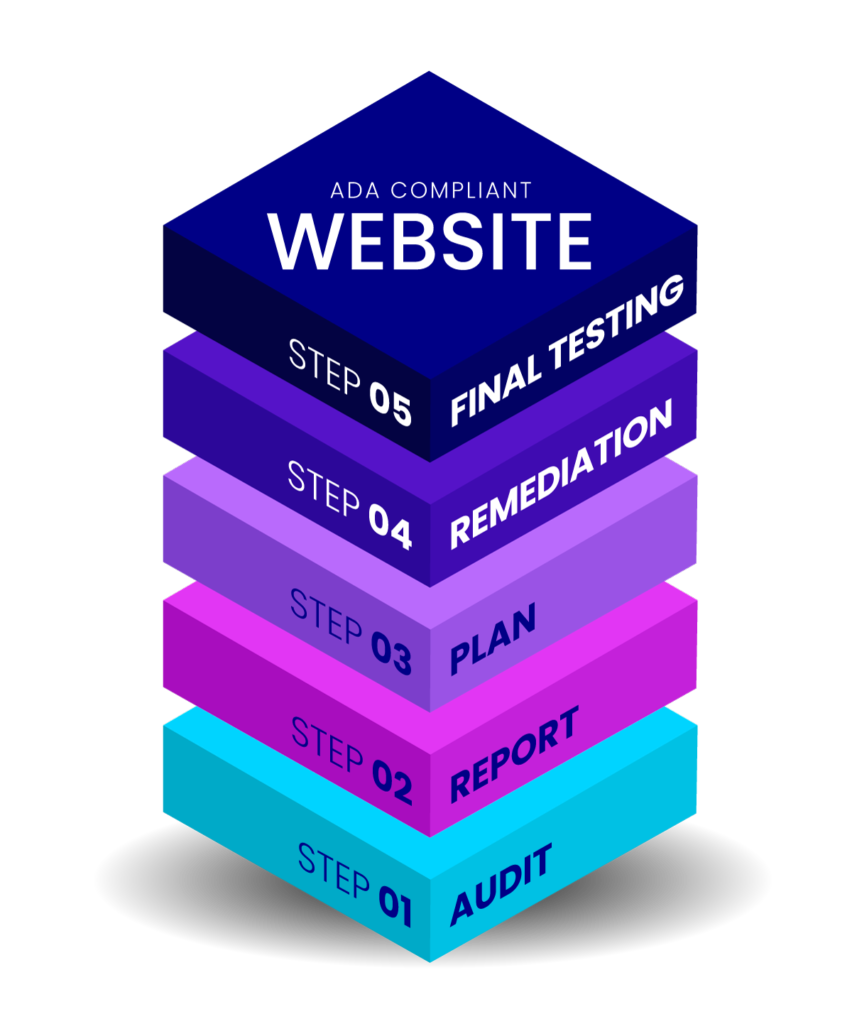
Already have a website? We remediate existing WordPress and HTML websites so they meet WCAG Level AA. Here is how it works:
- Accessibility audit: we test your website using professional accessibility tools and hands-on manual testing.
- Prioritized audit report: you receive a clear report that explains every issue we found, grouped into critical, medium, and low priority fixes, with a price estimate for the remediation work.
- Your remediation plan: once you have reviewed and approved the report, we agree on a timeline that works for your business.
- Remediation: we fix the issues in your website’s code, content, and design.
- Final testing and report: we retest the website to confirm the fixes meet WCAG Level AA, then send you a detailed report documenting all of the work completed.
Find out where your website stands.
Call now: 612-916-7292 | Email: info@keerkeercreative.com
What Is ADA Website Compliance?
ADA website compliance means making a website usable by people with disabilities, as required under the Americans with Disabilities Act. In practice, website accessibility is measured against the Web Content Accessibility Guidelines (WCAG), published by the World Wide Web Consortium. WCAG Level AA is the benchmark used by the U.S. Department of Justice for government websites and the standard most often referenced in accessibility lawsuits and settlements.
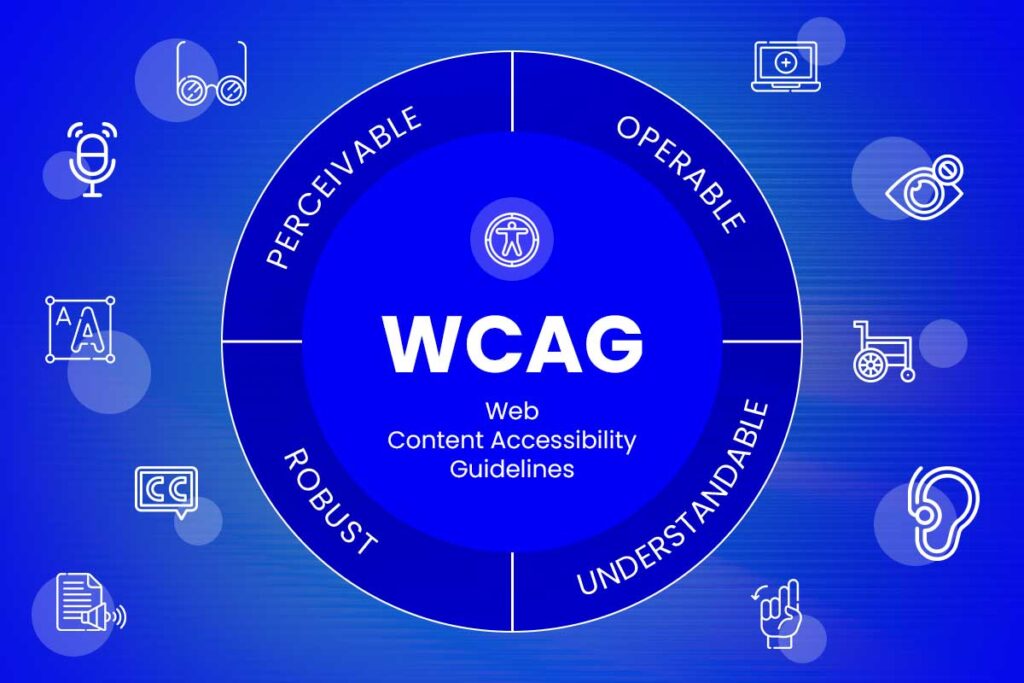
WCAG is built on four principles. Websites must be:
- Perceivable: content can be seen or heard, with text alternatives for images and captions for video
- Operable: everything works with a keyboard, not just a mouse
- Understandable: content, navigation, and forms are clear and predictable
- Robust: the website works with assistive technologies such as screen readers

Who Needs an Accessible Website?
- State and local governments: the Department of Justice requires government websites and mobile apps to meet WCAG 2.1 Level AA. Public entities serving 50,000 or more people must comply by April 26, 2027, and smaller entities and special districts by April 26, 2028.
- Businesses open to the public: the ADA applies to businesses that serve the public, and courts regularly treat inaccessible websites as a barrier. Thousands of website accessibility lawsuits are filed every year, and small and mid-sized businesses are frequent targets.
- Organizations that work with government: contractors, vendors, and grant recipients are increasingly asked to show their websites are accessible.
- Every business that wants to reach more customers: millions of Americans live with a disability, and an inaccessible website quietly turns them away.
ADA Website Accessibility Built Into Every New Website
Every new website we design and build has accessibility built in from the first sketch, not bolted on at the end. Accessible color contrast, readable fonts, clear heading structure, descriptive image text, keyboard-friendly menus, accessible forms, and visible focus states are part of our design and development process. Building accessibility in from the start costs far less than fixing it later, and it produces a better website for everyone.
Learn more about our website design services.
How We Test for Accessibility
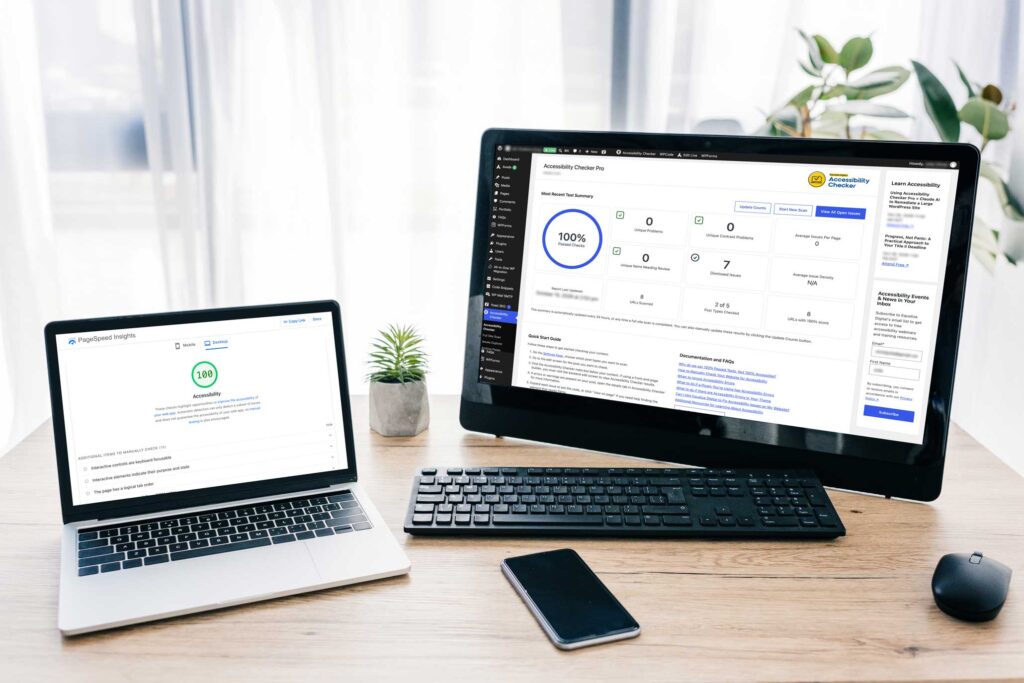
Automated tools are an important starting point, but they can only detect some accessibility problems. That is why every audit combines automated scanning with manual testing by people:
- Equalize Digital Accessibility Checker: a professional accessibility testing tool built for WordPress
- WAVE: the widely used web accessibility evaluation tool from WebAIM
- WebYes: accessibility scanning for HTML and non-WordPress websites
- Keyboard testing: we navigate every page using only a keyboard, checking menus, links, buttons, forms, and pop-ups, and making sure focus is always visible
- Screen reader testing: we listen to your website the way blind and low-vision visitors do, using the NVDA and VoiceOver screen readers
- axe DevTools: a second automated testing engine that often catches issues other tools miss
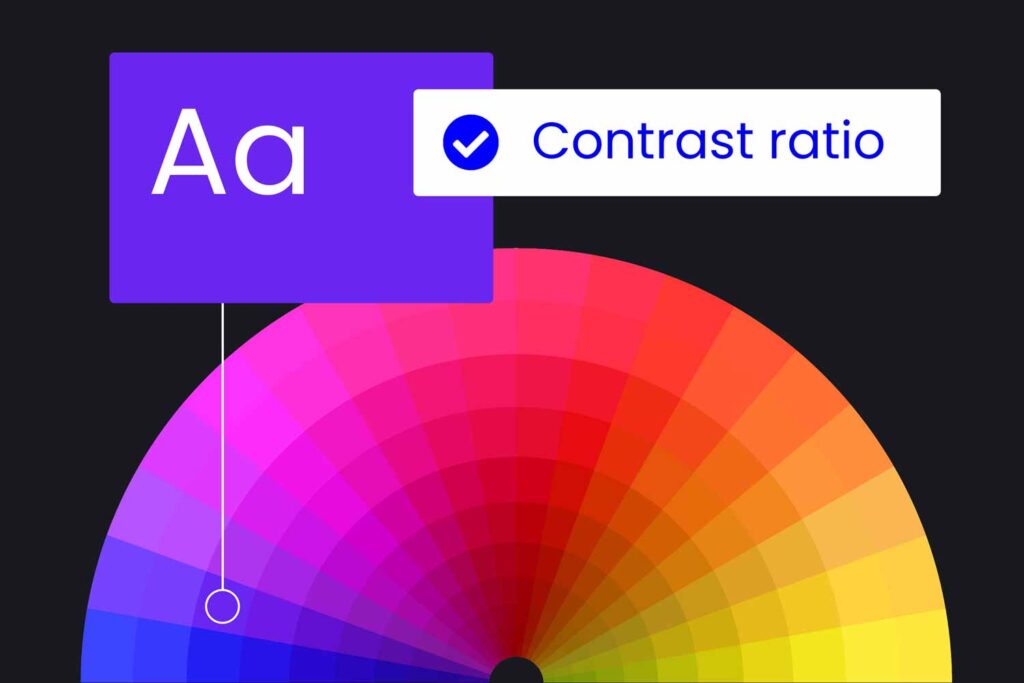
- Color contrast checking: we verify every color combination with the Color Contrast Analyser and additional contrast checkers, including text over images, hover states, and focus outlines, where automated tools often fall short
What We Fix
- Missing or unhelpful image descriptions (alt text)
- Low color contrast between text and backgrounds
- Headings that are out of order or used for styling instead of structure
- Menus, buttons, and links that don't work with a keyboard
- Missing or invisible keyboard focus indicators
- Form fields without labels and error messages that aren't announced
- Links and buttons with unclear names, such as "click here"
- Video without captions and audio without transcripts
- Tables, sliders, pop-ups, and accordions that assistive technology can't read
- Missing page titles, language settings, and skip links
- Inaccessible PDF documents, which we remediate or, when it serves visitors better, convert into accessible web pages

Why We Don't Use Accessibility Overlays
You may have seen accessibility widgets or overlays that promise to make a website compliant with one line of code. They don’t. Overlays sit on top of a website without fixing the underlying code, and they often interfere with the assistive technology people with disabilities already use. In 2025, the Federal Trade Commission ordered one of the best-known overlay companies to pay $1 million for falsely claiming its tool could make websites WCAG compliant.
Real accessibility comes from fixing the website itself. That is the only kind of remediation we do.

Accessibility Is Personal to Us
Our founder, Jane Stobbie Keer, has a personal connection to accessibility. Her mother was a specialist teacher who worked with students experiencing visual stress, and seeing that work shaped Jane’s belief that websites should work for everyone, going well beyond the legal minimum.
That is why we don’t treat accessibility as a checkbox. We treat it as part of building a good website, one that respects every visitor.
Keeping Your Website Accessible
Accessibility is an ongoing commitment, not a one-time fix. New pages, images, blog posts, and plugin updates can introduce new issues over time. That is why every page, image, and piece of content we add to your website moving forward is created to be accessible, so your website stays compliant as it grows.
If your team adds content too, we can train them to keep it accessible. Our Classes & Training include a dedicated class on website accessibility for WordPress.
Ready to make your website accessible to everyone?
Start with an accessibility audit and a clear plan. Audits start at $650.
Or reach out directly to our team to start a conversation: 612-916-7292
We serve businesses in Minneapolis, St. Paul, and suburbs throughout the Twin Cities metro, including Woodbury, Eagan, Maplewood, Oakdale, Cottage Grove, Lake Elmo, and Stillwater, as well as Hudson and the St. Croix Valley in Wisconsin. We also work with clients across the United States.
ADA Website Accessibility: Frequently Asked Questions
What is ADA website compliance?
ADA website compliance means making your website usable by people with disabilities. It is measured against the Web Content Accessibility Guidelines (WCAG), and WCAG Level AA is the standard used by the Department of Justice for government websites and most often referenced in accessibility lawsuits.
Does my business website need to be ADA compliant?
If your business serves the public, your website is very likely expected to be accessible under the ADA, and inaccessible websites are the subject of thousands of lawsuits every year. State and local governments have specific legal deadlines to meet WCAG 2.1 Level AA. If you are unsure, an accessibility audit is the best place to start.
Is there an ADA website deadline for my business?
For private businesses, there’s no deadline, because the requirement already applies. Since 1990, Title III of the ADA has required businesses that serve the public to be accessible to people with disabilities. Courts and the Department of Justice apply this to websites, and WCAG 2.1 Level AA is the standard used in lawsuits and settlements. That means an inaccessible website can lead to a demand letter or lawsuit today, not at some future date.
What are the ADA Title II website deadlines?
Title II is a separate Department of Justice rule for state and local governments, not private businesses. Government entities serving 50,000 or more people must meet WCAG 2.1 Level AA by April 26, 2027. Smaller entities and special district governments must comply by April 26, 2028. These dates were originally set for 2026 and 2027 and were extended.
What is the difference between WCAG 2.1 and WCAG 2.2?
WCAG 2.2 is the newest version of the guidelines. It includes everything in WCAG 2.1 plus additional requirements, such as making sure keyboard focus is never hidden and that touch targets are large enough to use easily. WCAG 2.1 Level AA is the current legal benchmark for government websites, and meeting WCAG 2.2 Level AA goes a step further.
How much does an accessibility audit cost?
Accessibility audits start at $650. The final cost depends on the size of your website and the number and type of issues it has. After the audit, you receive a prioritized report with a price estimate for the remediation work, so you know the full cost before any fixes begin.
How long does accessibility remediation take?
It depends on the size of your website and the number of issues found. After you approve the audit report, we give you a clear timeline for the remediation work.
Do accessibility widgets or overlays make a website compliant?
No. Overlays don’t fix the underlying code and often interfere with screen readers and other assistive technology. In 2025, the Federal Trade Commission fined a major overlay company $1 million for falsely claiming its tool made websites compliant. Real accessibility requires fixing the website itself.
Can you make my website lawsuit-proof?
No one can honestly guarantee that a website will never be the subject of a complaint or lawsuit. What we can do is remediate your website to meet WCAG Level AA, which significantly reduces your risk and shows a genuine commitment to accessibility.
Do you make PDF documents accessible?
Yes. We remediate PDFs so they work with screen readers and other assistive technology. For shorter documents, we sometimes recommend turning the content into an accessible web page instead, which is often easier for everyone to use.
Once my website is remediated, does it stay accessible?
Accessibility is ongoing. New content, images, and updates can introduce new issues over time. Every piece of content we add to your website moving forward is created to be accessible, and we can train your staff to keep their own content accessible too.
Do you work on websites that aren't built with WordPress?
Yes. We remediate both WordPress websites and HTML websites.
Will making my website accessible change how it looks?
Usually only in small ways, such as stronger color contrast or visible keyboard focus outlines. Most accessibility work happens in the code, and an accessible website often looks cleaner and easier to read.
Does website accessibility help SEO?
Yes. Many accessibility improvements, such as descriptive image text, clear heading structure, and meaningful link text, also help search engines and AI tools understand your website.
This page provides general information and is not legal advice


Not sure where your website stands?
Request an accessibility audit and we’ll show you what needs fixing.